Media
Projects support both DICOM (.dcm) and non-DICOM media files. Depending on the file type, different features are available after upload.
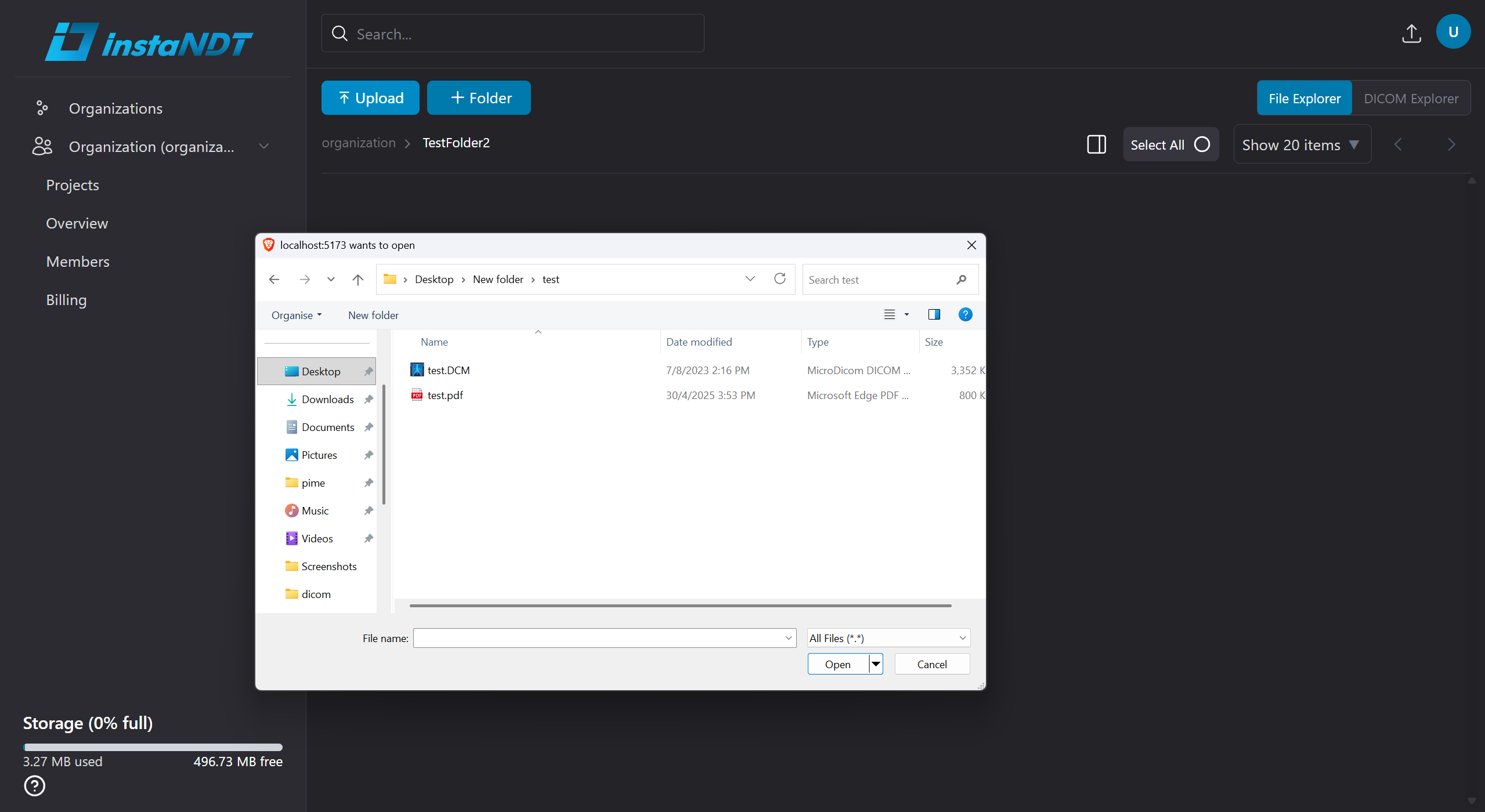
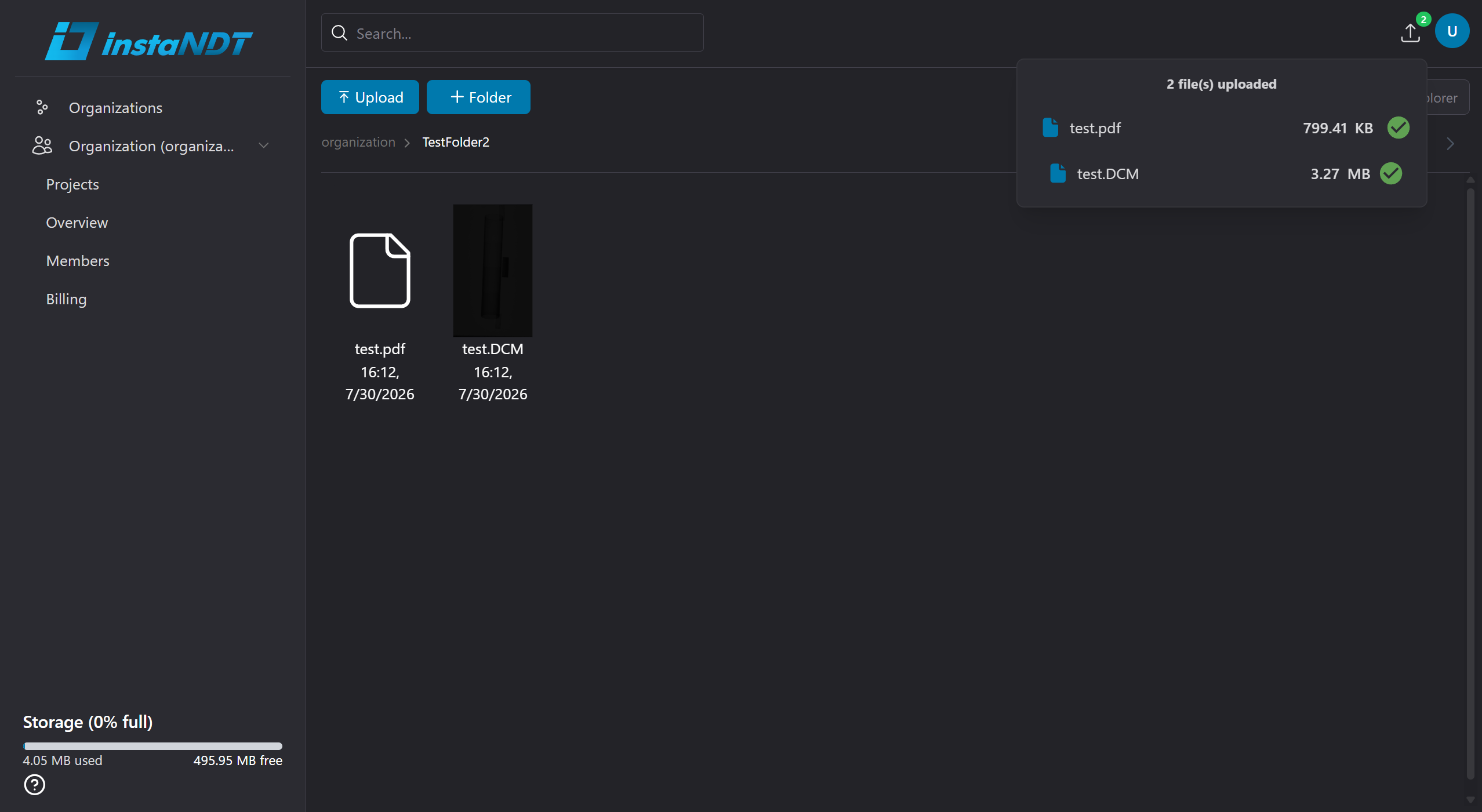
Figures 1 and 2. Uploading DICOM (.dcm) and non-DICOM media files to a project.
DICOM Media
DICOM (.dcm) files can be opened directly in the built-in DICOM viewer, providing access to the imaging data without requiring external software.
The DICOM viewer allows you to:
- View DICOM images directly in your browser.
- Download individual DICOM (
.dcm) files when needed.
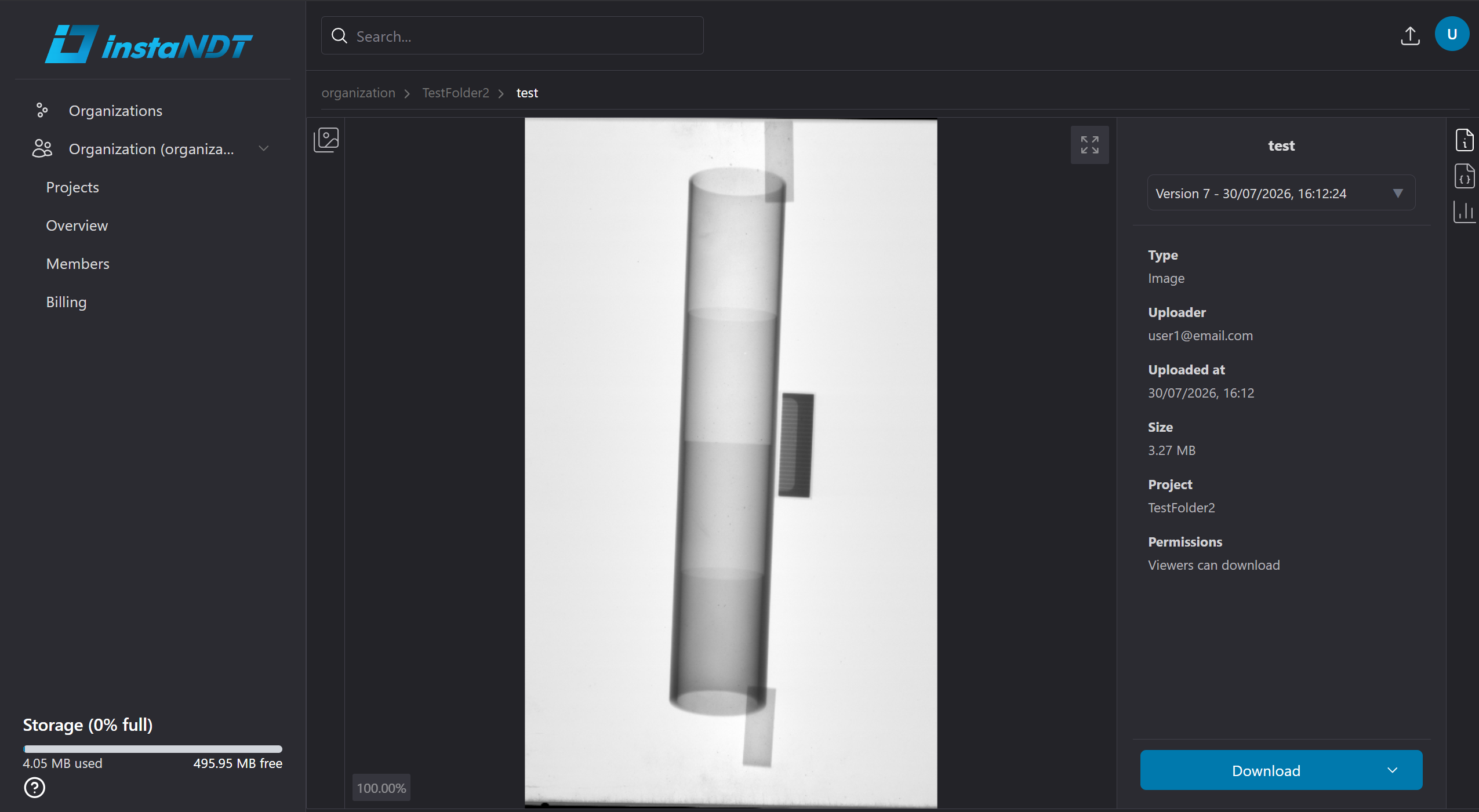
Figure 3. Opening a DICOM file in the built-in DICOM viewer.
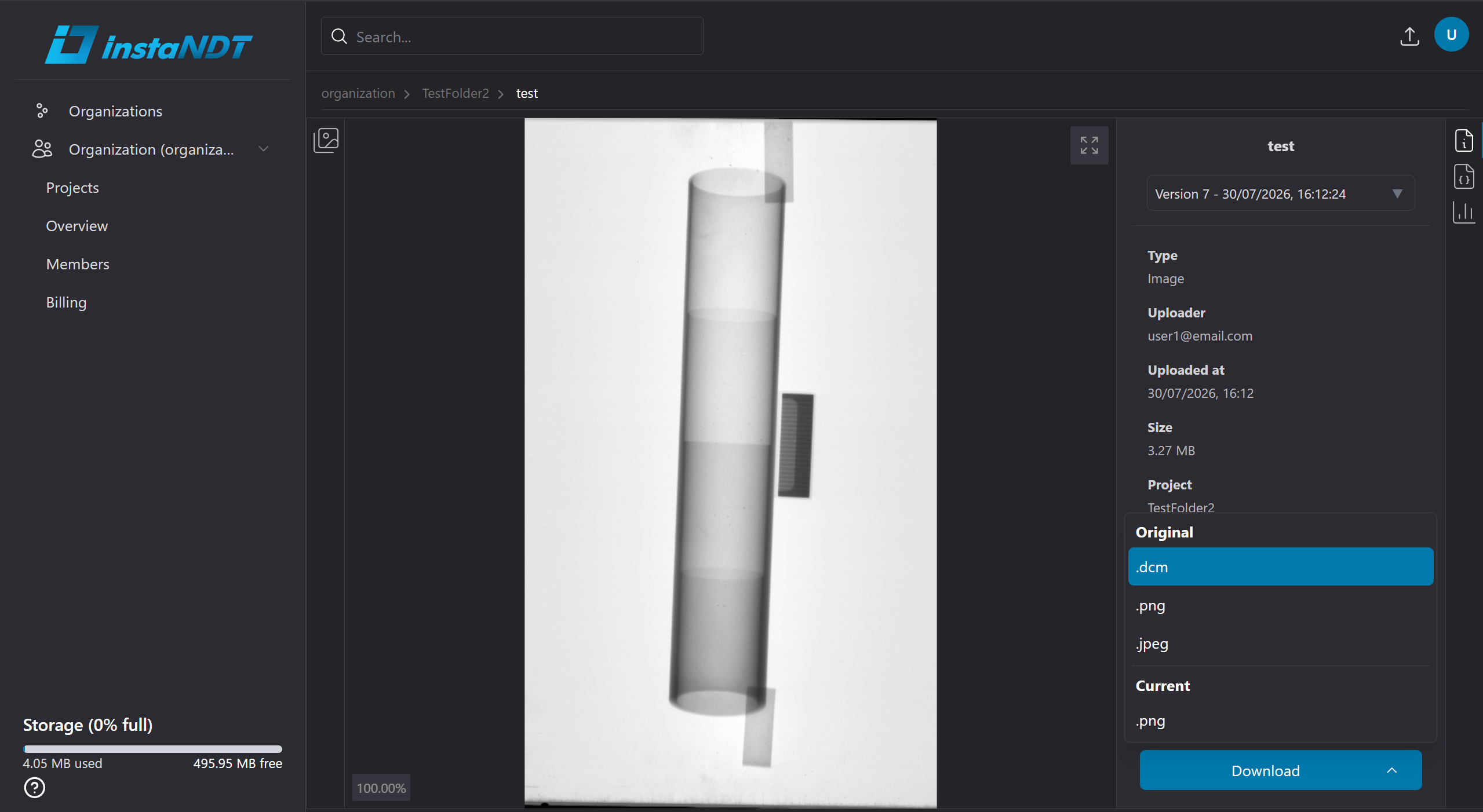
Figure 4. Download options available for a DICOM media.
Non-DICOM Media
Non-DICOM files are stored alongside DICOM media within the project. Although they cannot be opened in the DICOM viewer, they can still be organized in folders and downloaded at any time.
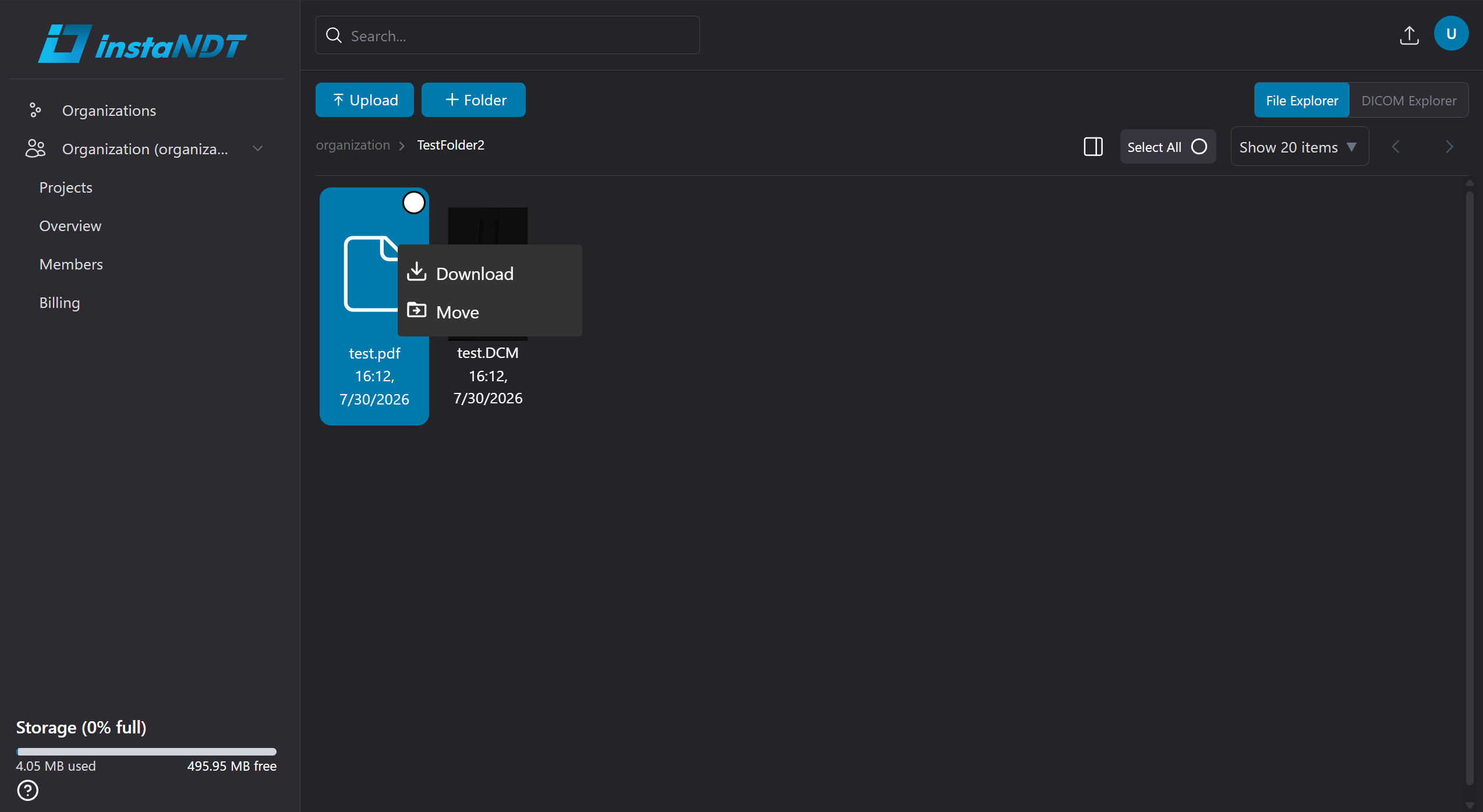
Figure 5. Downloading a non-DICOM file using the context menu with a right-click.