Metadata
Overview
Metadata allows you to attach additional information to Projects and Folders to help organize, classify, and search your content more effectively.
In instaNDT hierarchy:
Metadata can be added to:
- Projects
- Folders
Why Use Metadata?
Adding metadata helps you:
- Categorize projects and folders.
- Store important descriptive information.
Adding Metadata to a Project
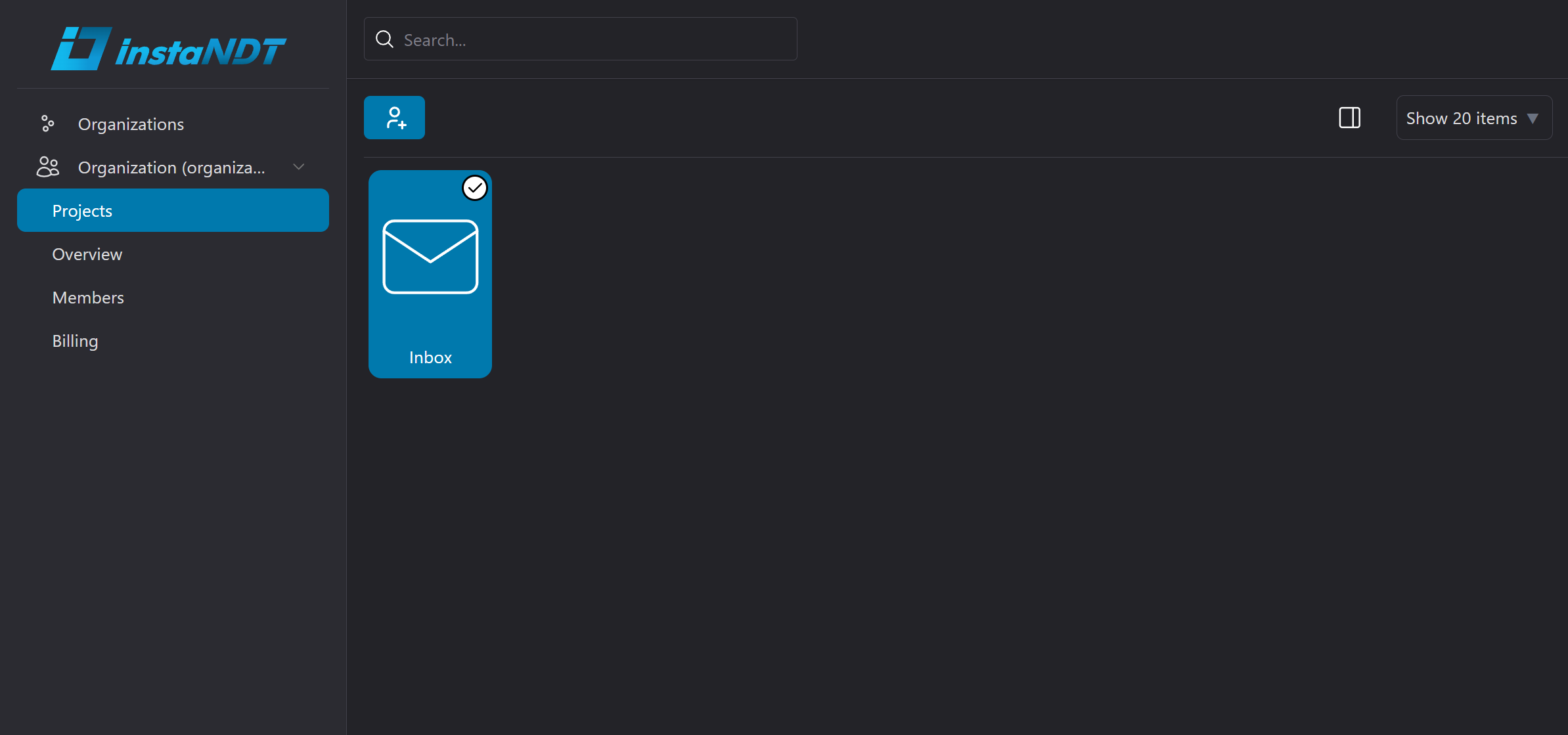
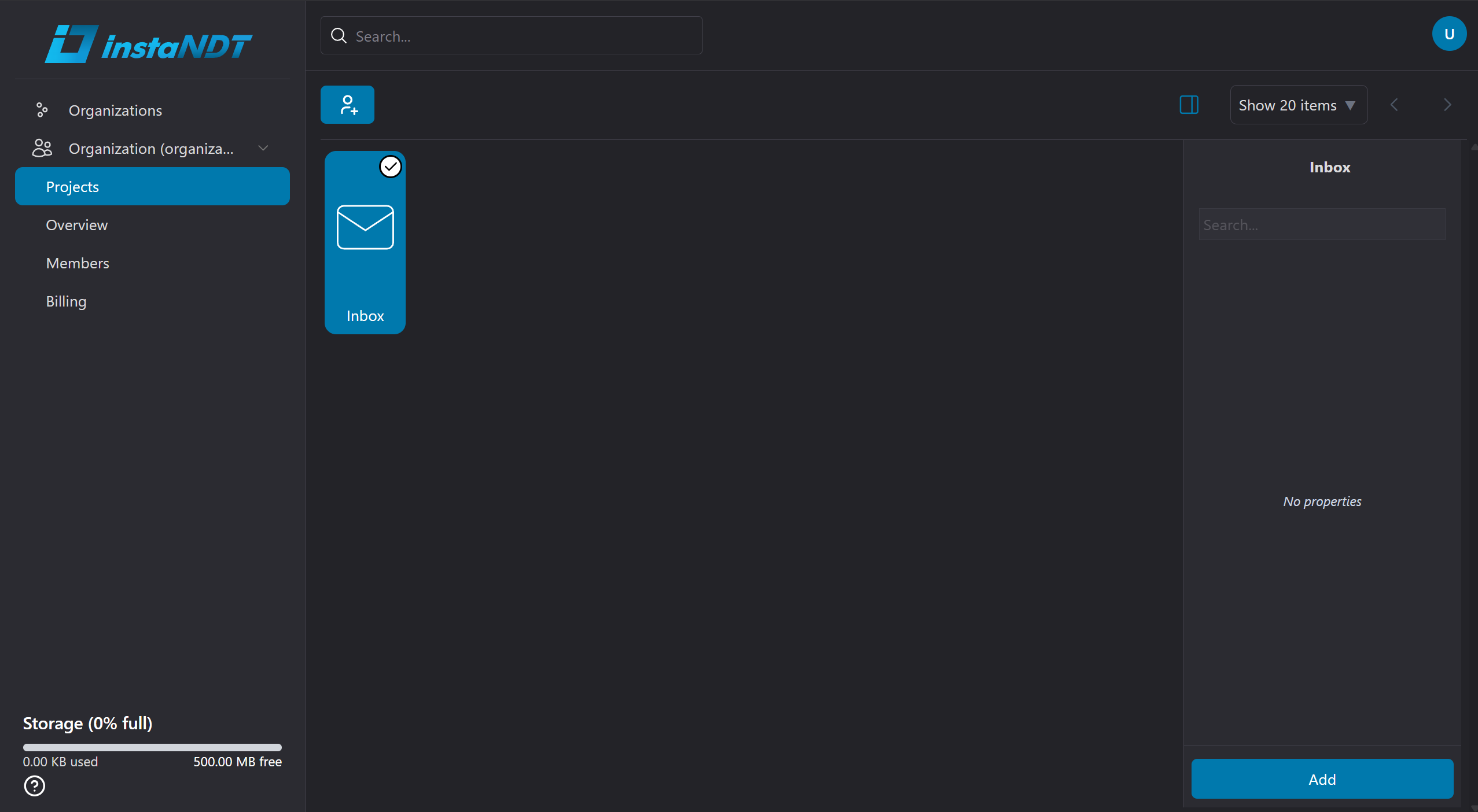
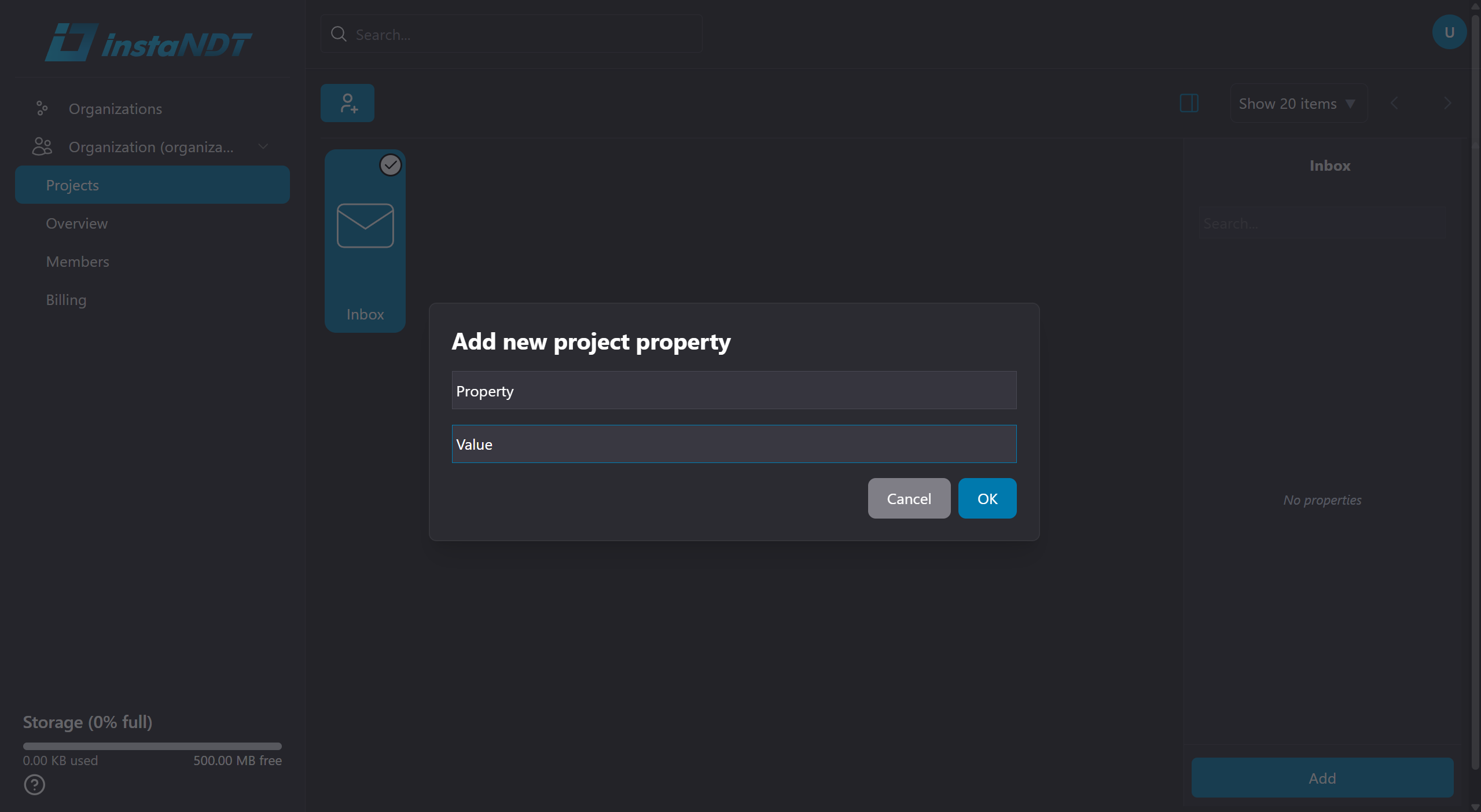
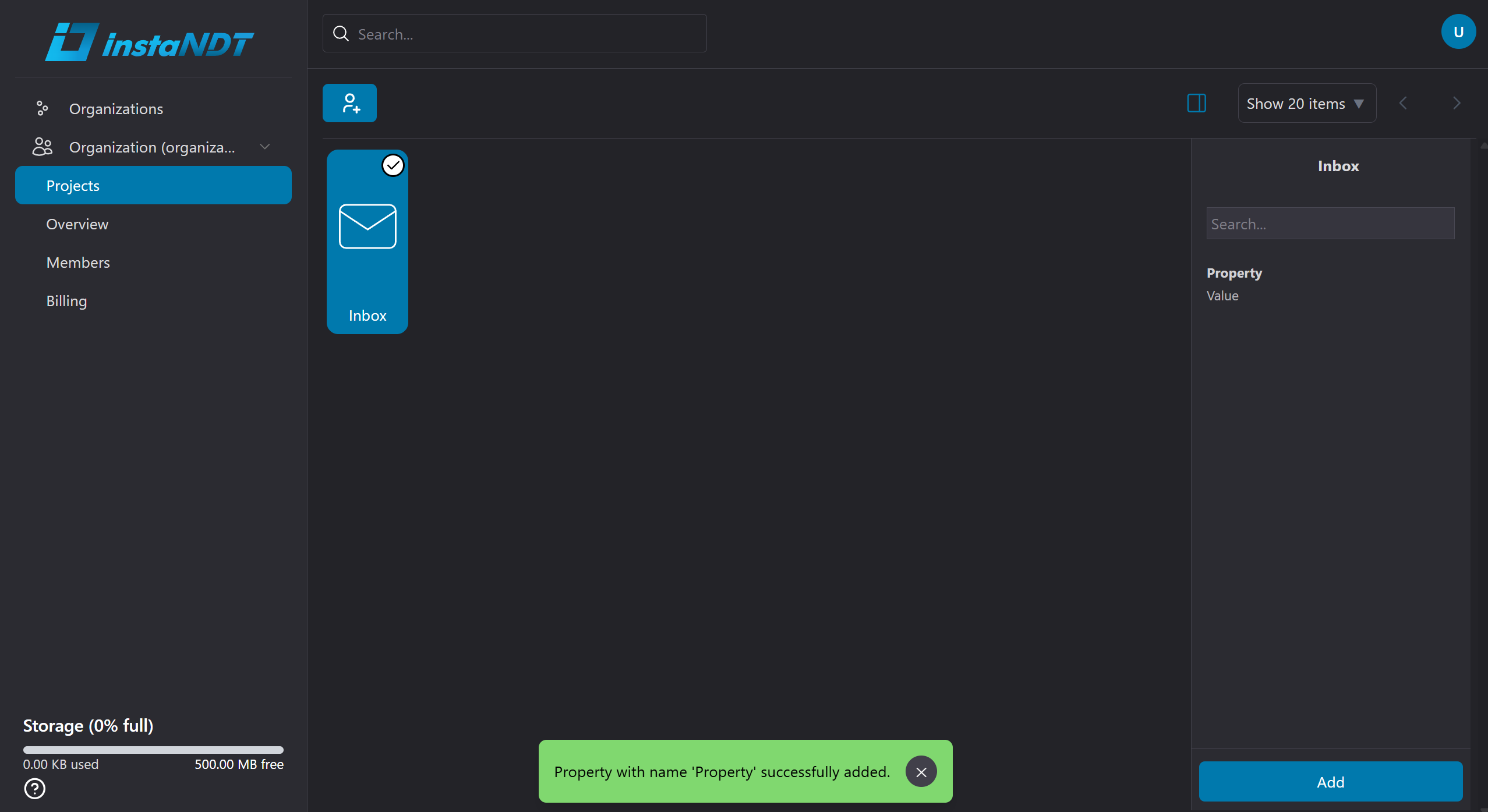
Figures 1-4. Adding metadata to project.
- Navigate to the desired Project.
- Click the ✔ (Select) icon.
- Click the sidebar icon.
- Click Add
- Enter the required metadata values.
- Click Ok.
The metadata is now associated with the selected project.
Adding Metadata to a Folder
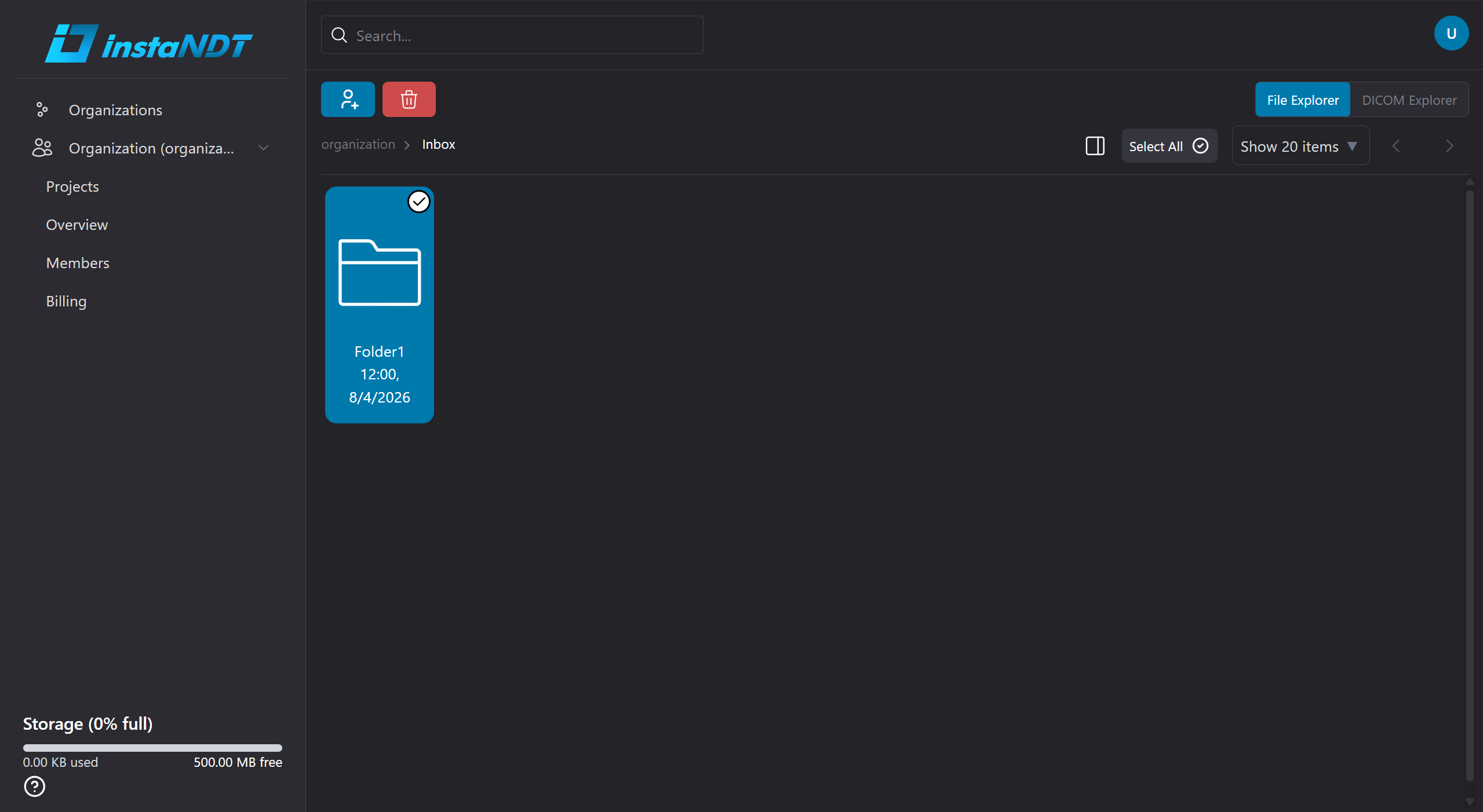
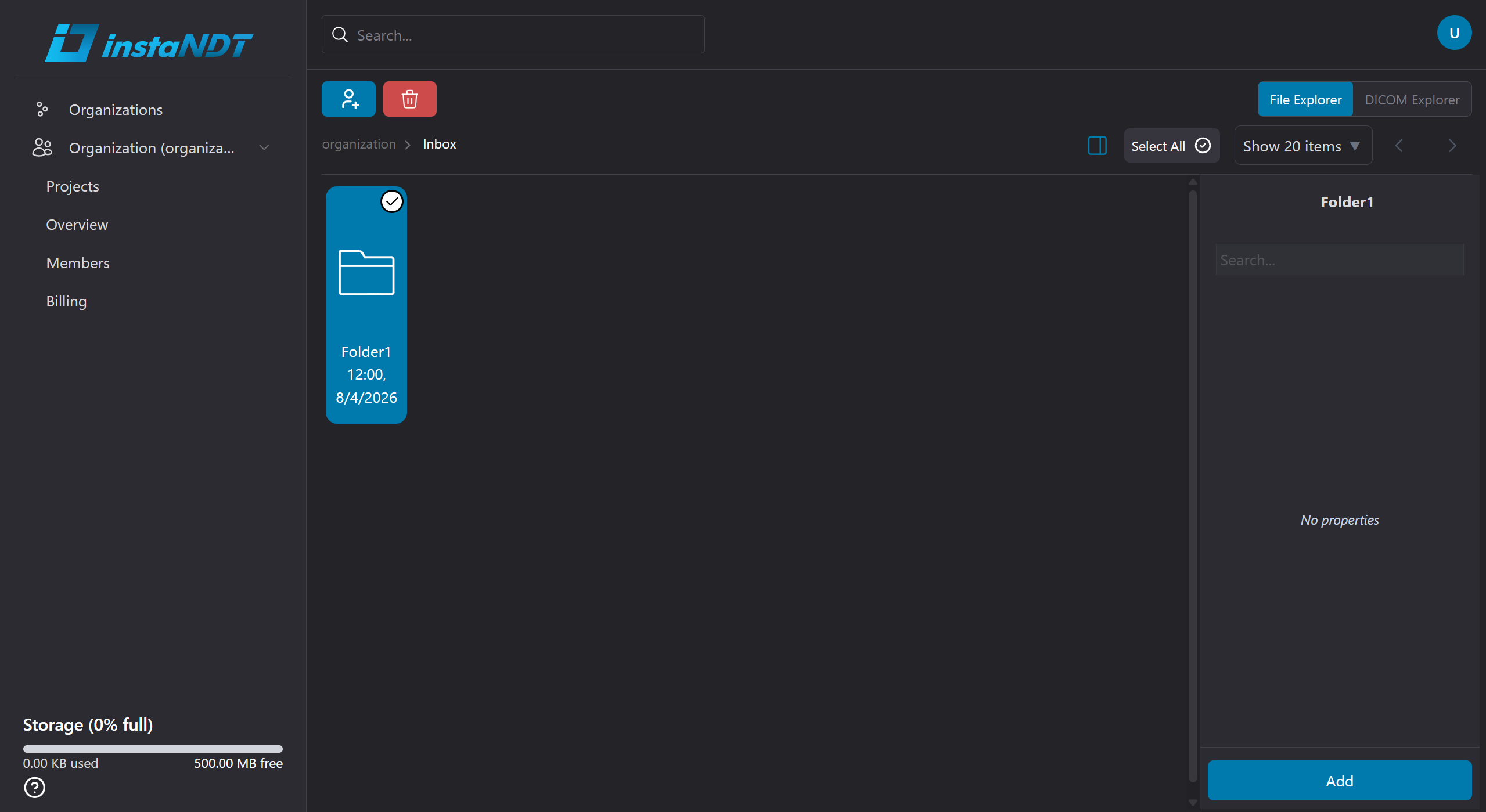
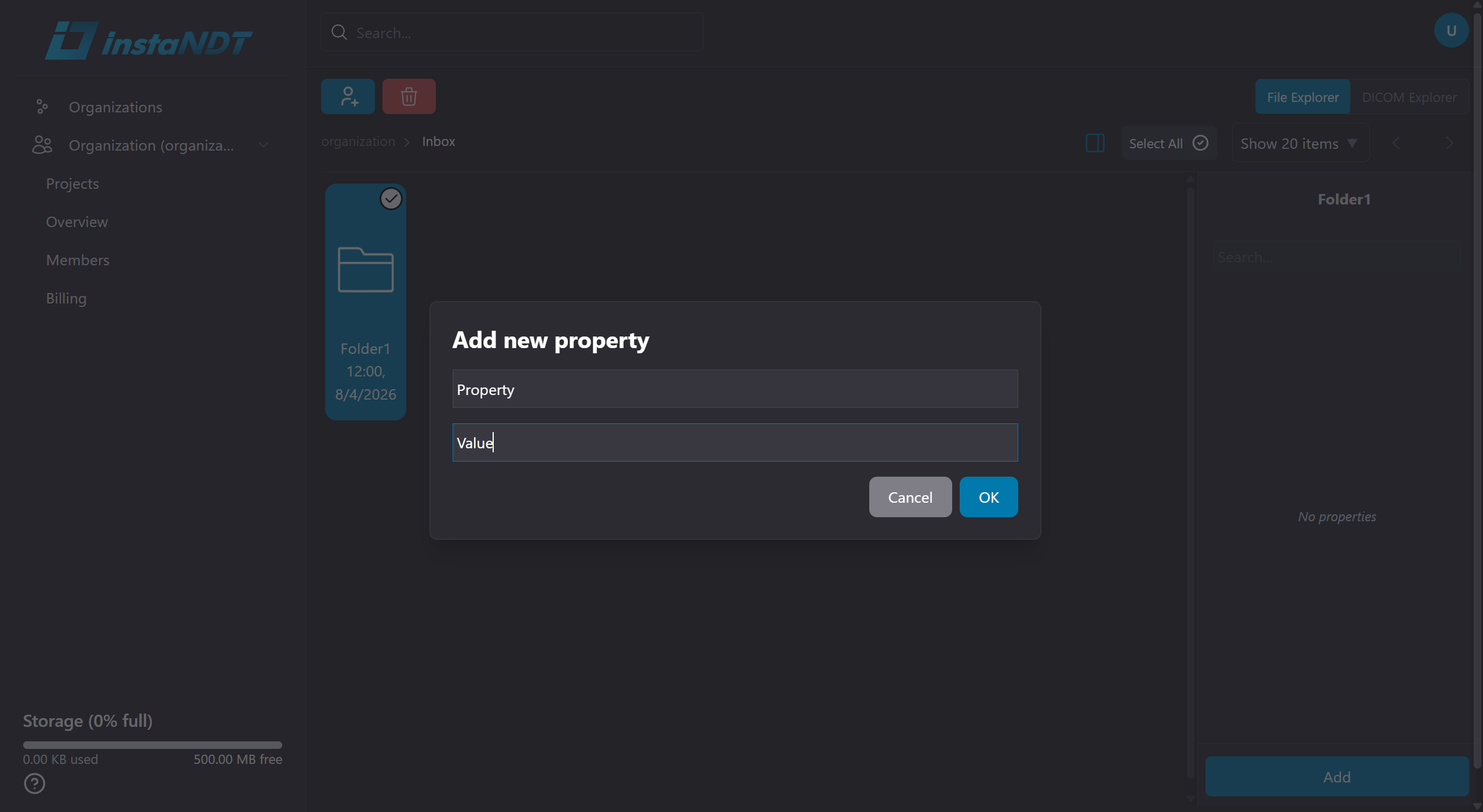
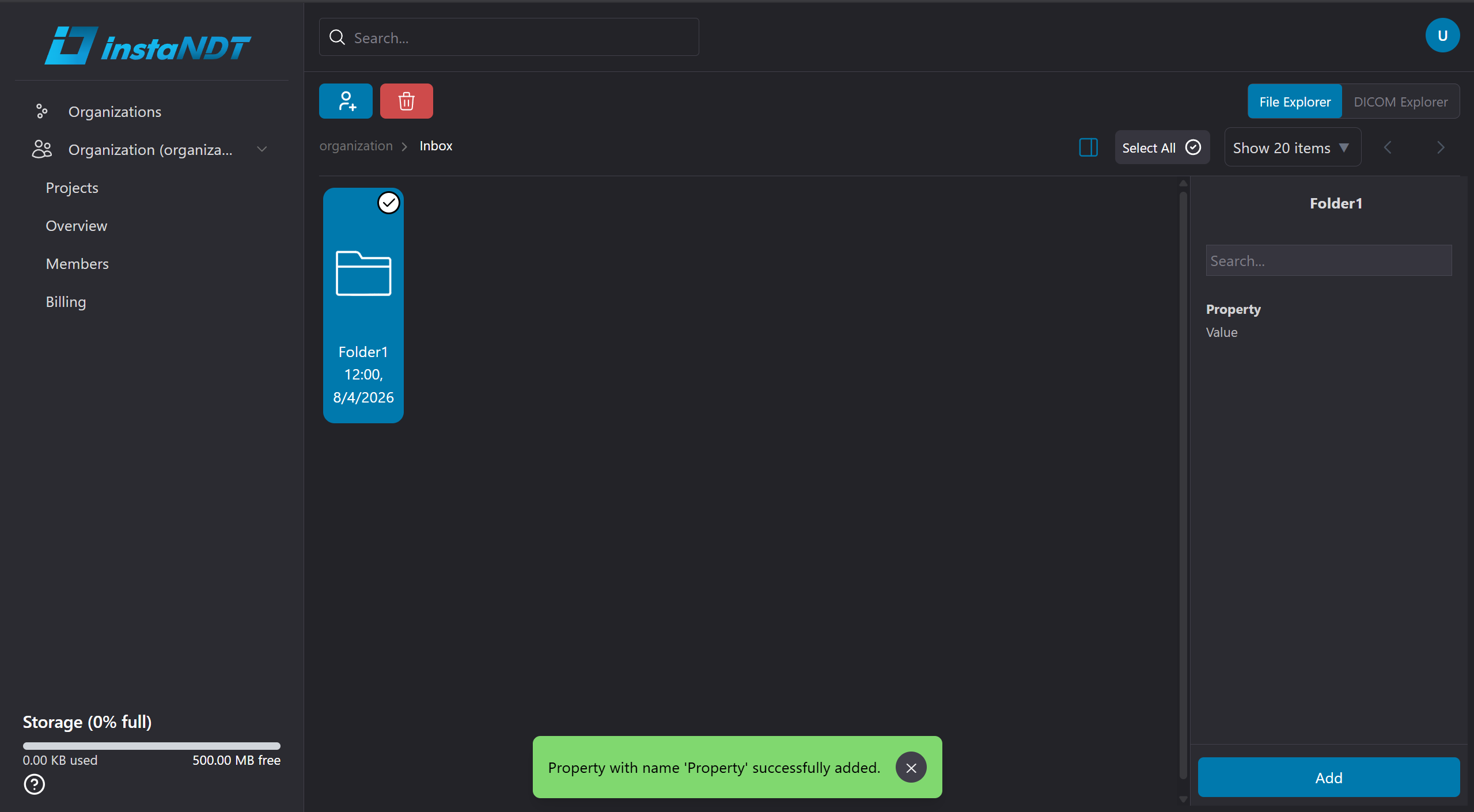
Figures 5-8. Adding metadata to folder.
- Open the project containing the folder.
- Navigate to the desired Folder.
- Click the ✔ (Select) icon.
- Click the sidebar icon.
- Click Add
- Enter the required metadata values.
- Click Ok.
The metadata is now associated with the selected folder.
Editing Existing Metadata
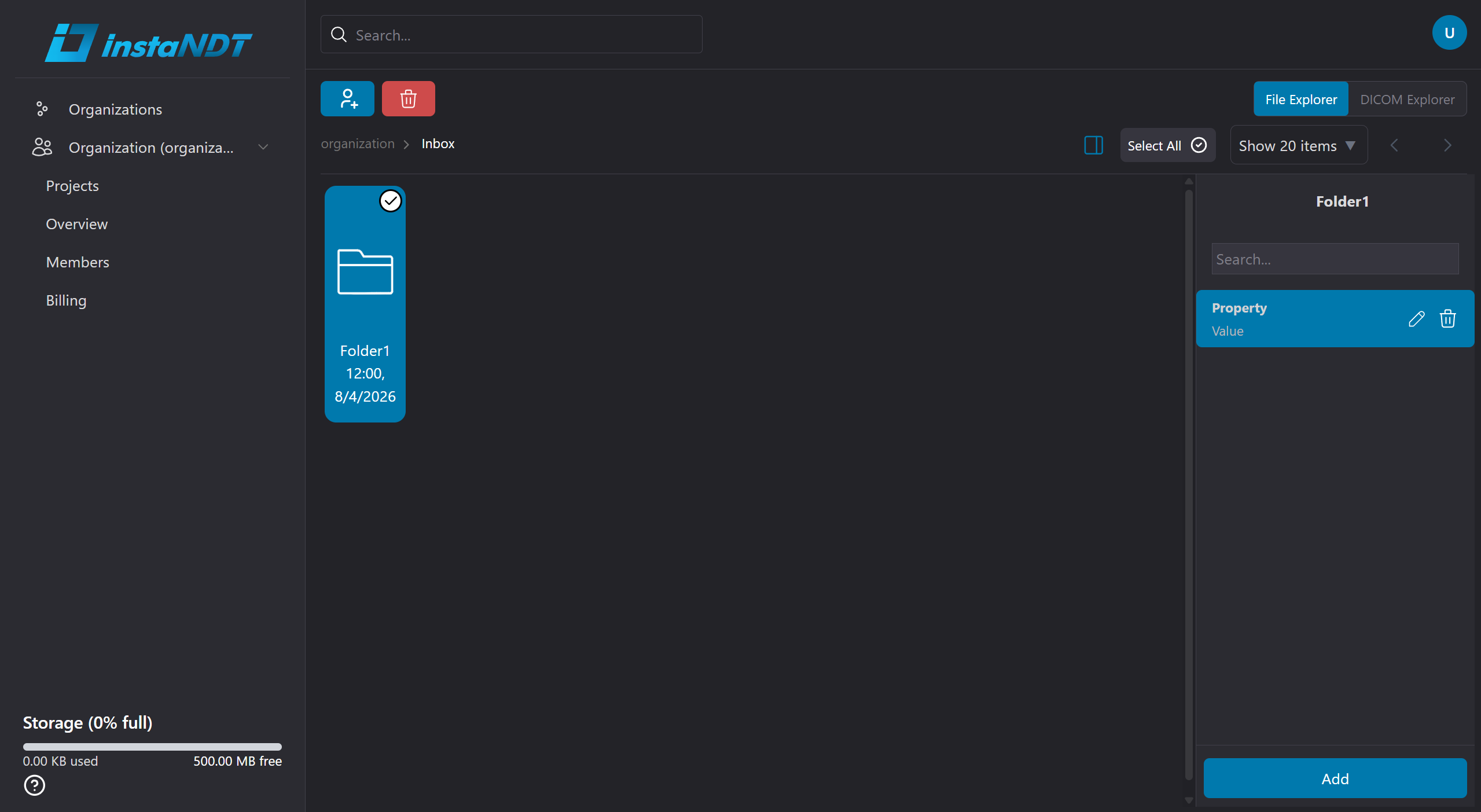
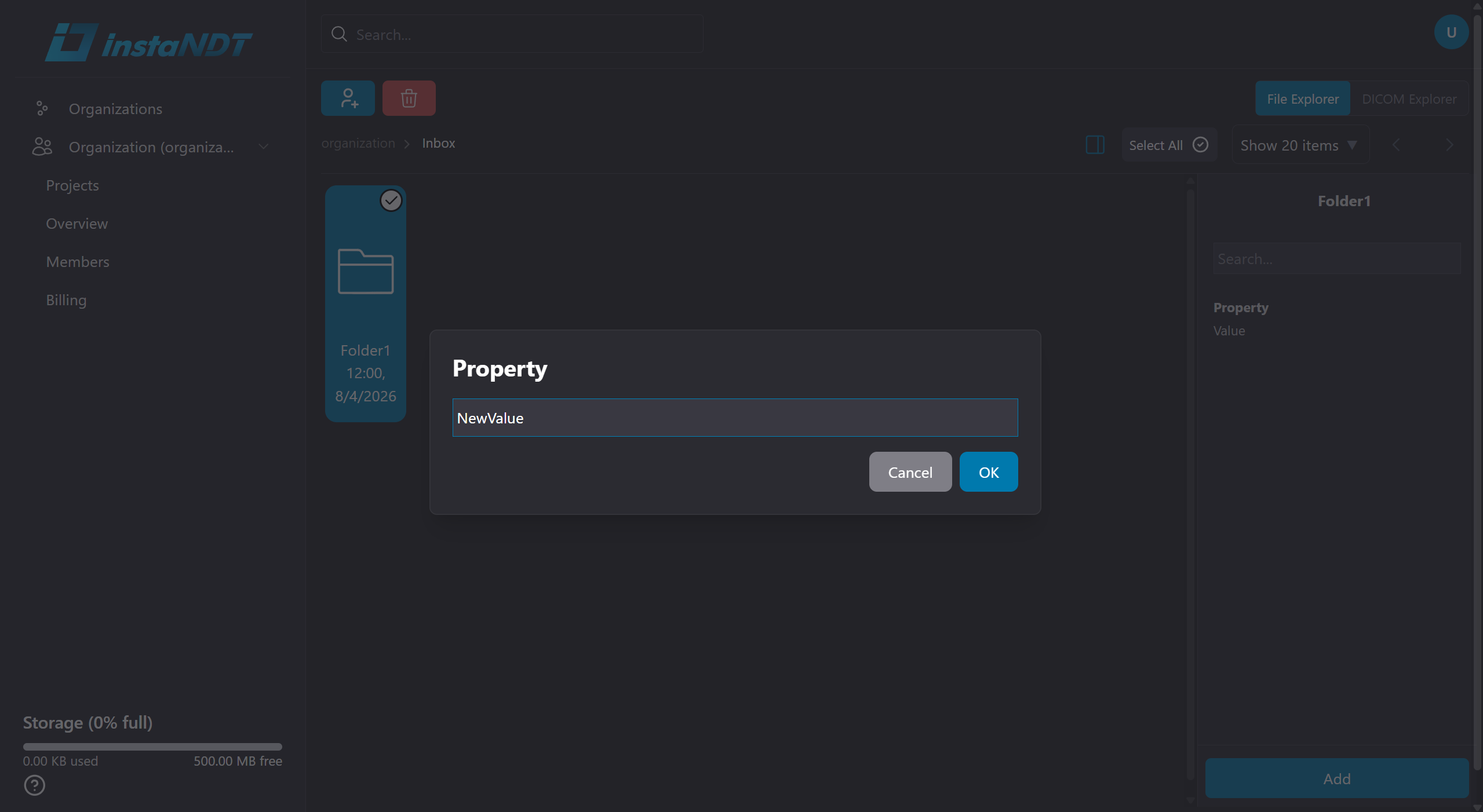
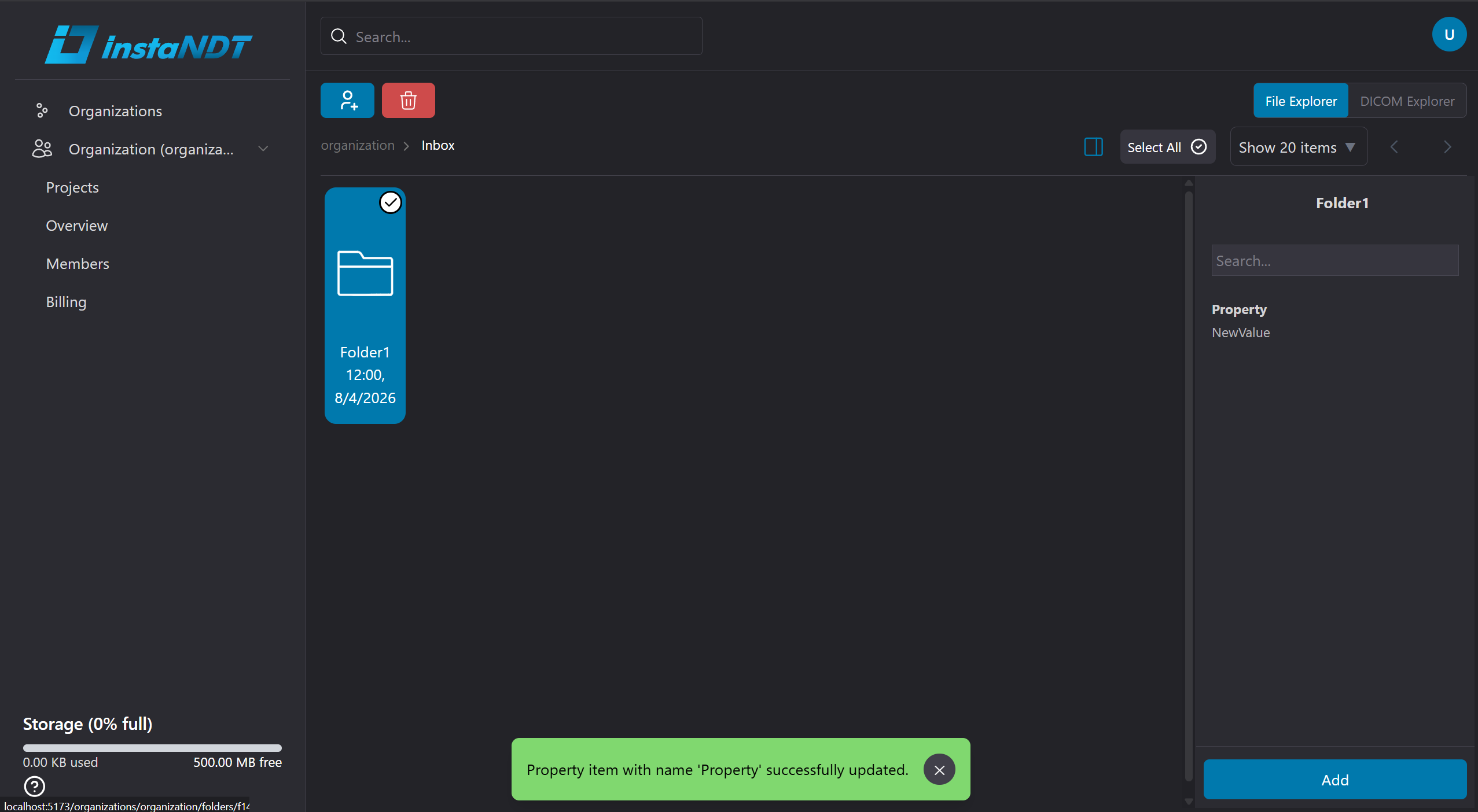
Figures 9-11. Editing metadata for a folder.
- Open the Project or Folder.
- Click the sidebar icon.
- Click on the edit icon for the desired metadata.
- Update and save your changes.
Removing Metadata
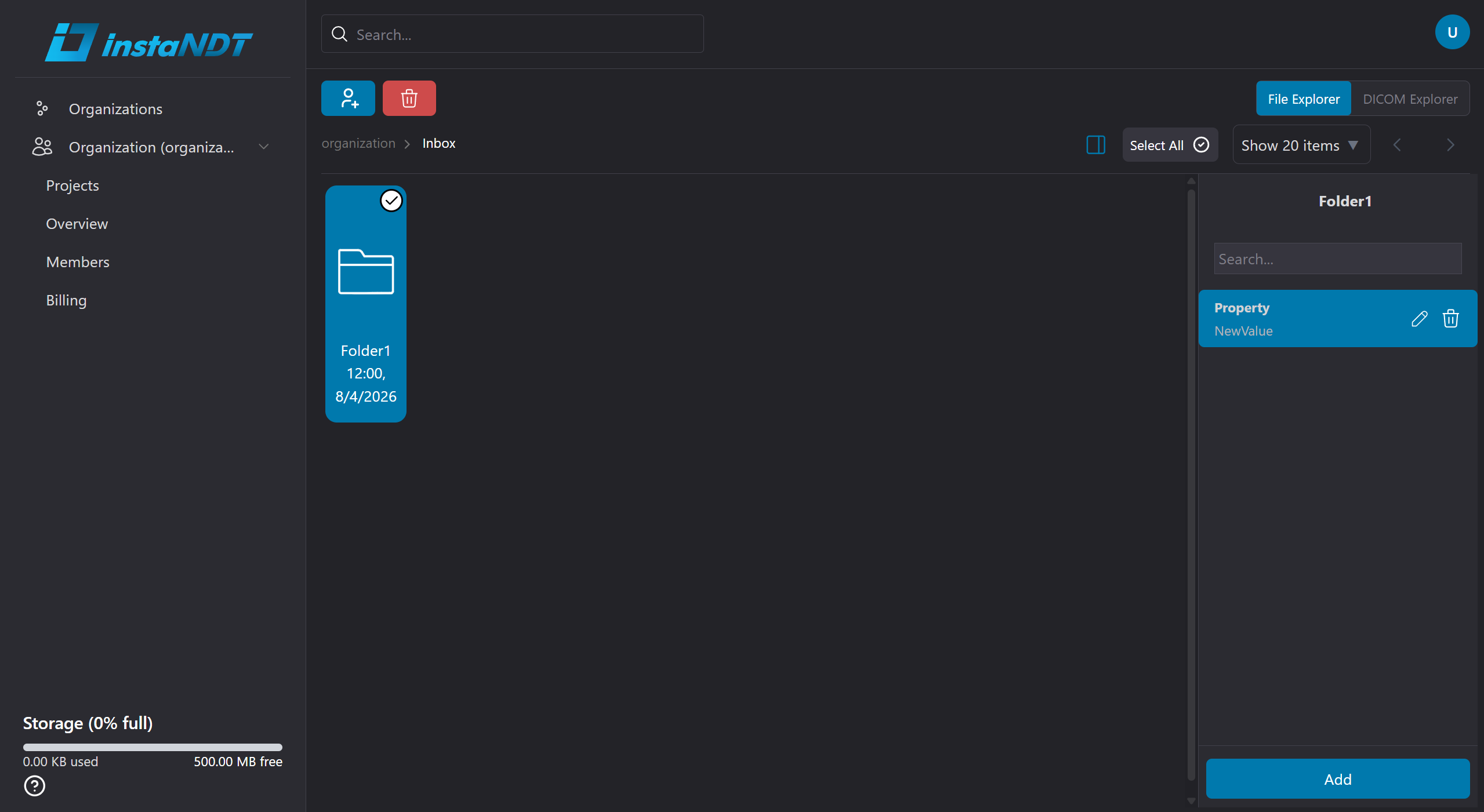
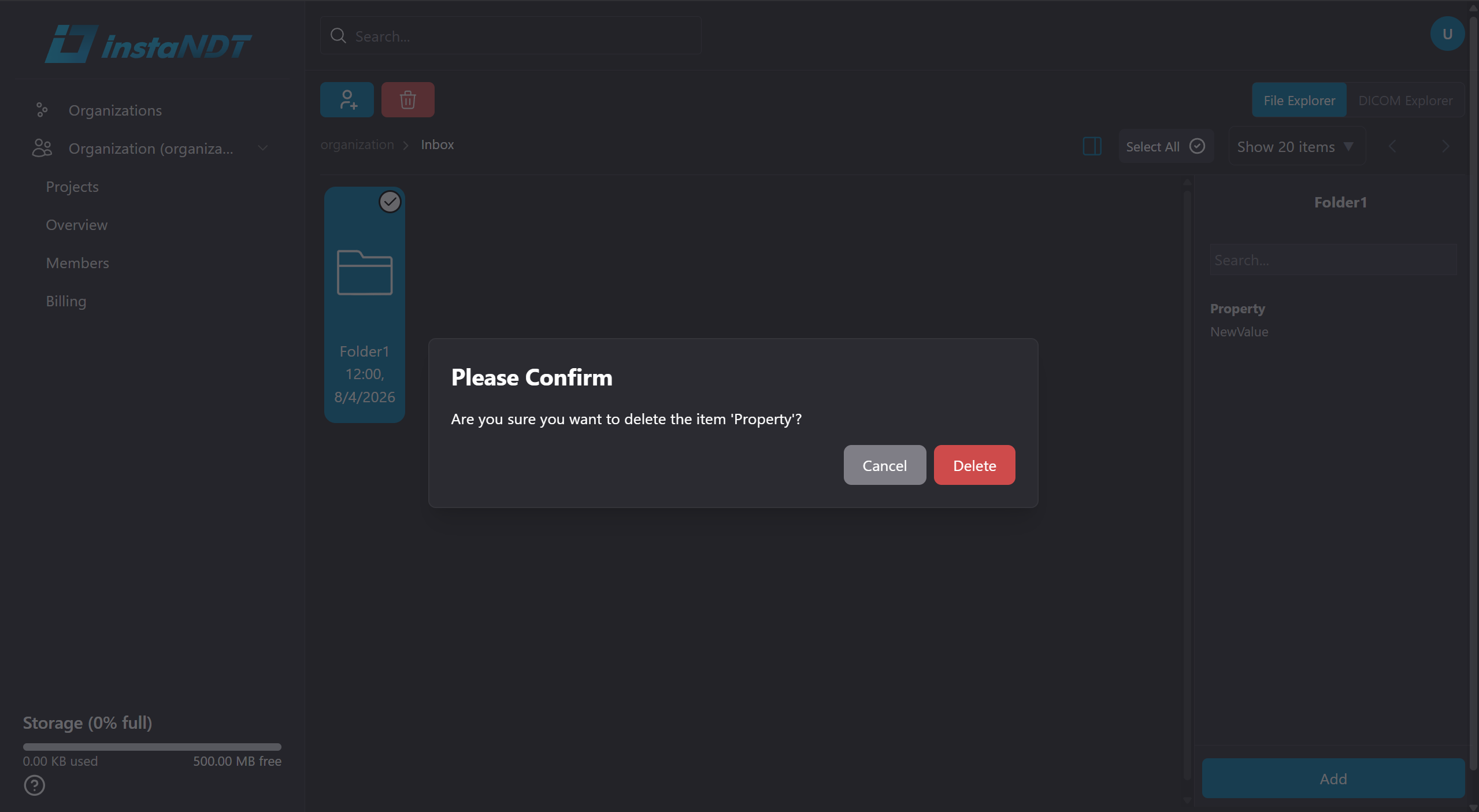
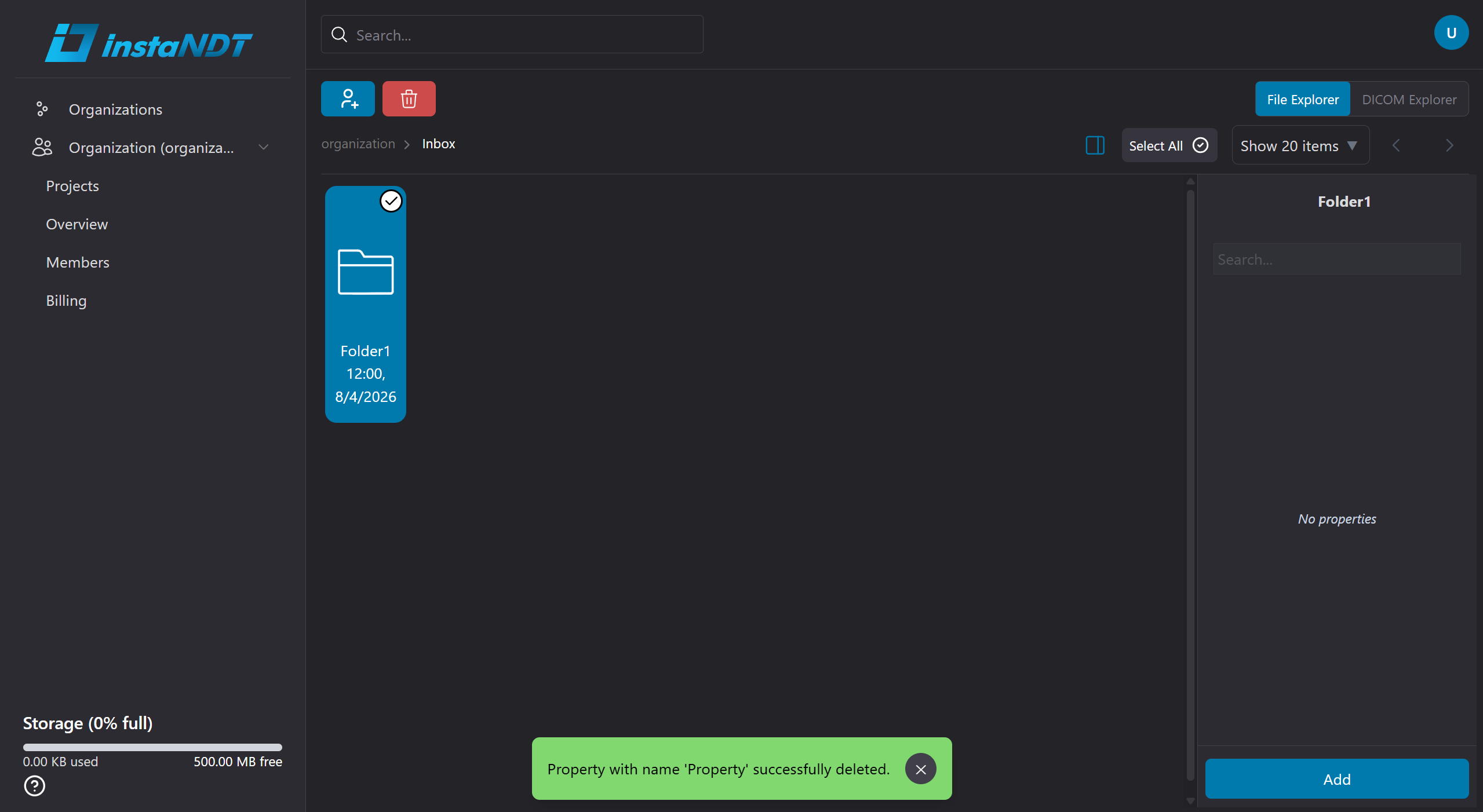
Figures 12-14. Removing metadata for a folder.
- Open the Project or Folder.
- Click the sidebar icon.
- Click the trash can icon.
- Click Ok when prompted.